Corrective Lighting- Keep It Simple

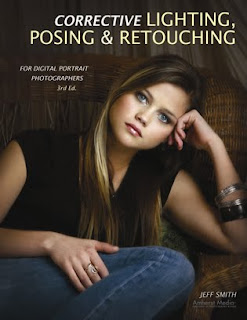
Today's post comes from the book Corrective Lighting, Posing & Retouching for Digital Portrait Photographers, 3rd Ed by Jeff Smith. It is available from Amazon.com and other fine retailers.

Lighting a portrait is a simple process that photographers have complicated over the years. This has happened for two reasons. First we are gadget freaks. We think, “Why should I use one light when I have three?” Second, most teachers of professional lighting techniques are sponsored by (a nice way of saying their fees are paid by) equipment companies. These companies have all that equipment to sell, so the question becomes, “Why use one light, when we want to sell three and we can charge more for the big one than the little ones?”

This leads many photographers down the path of “crapping up” a simple thing. If I sent most photographers into a white room with one large window, they would be able to take a properly lit image. However, if I gave these same photographers a flash unit with a softbox attached, many of them would look lost. Yet, isn’t it the same thing? If you put the softbox where the window was and placed the subject in the same position in relation to it, wouldn’t it appear the same?

The second problem of sponsored learning is the “bigger is better” approach to main lights, which is completely wrong—at least from the perspective of correcting flaws. These monster sources of main light are the most forgiving to improper placement, but they are the least controllable. It is like the different between a rifle or shotgun, a bow and arrow or a grenade. They all might get the job done, but one is more precise than the other. (Of course, the other is more forgiving if you’re a lazy shooter who doesn’t like to take the time to aim!)

Smaller main light sources give you better control over which areas of your subject are lit and which remain more in shadow.

Huge main light sources illuminate everything on the subject—they ruin the shadowing that we need to conceal our clients’ problems. With a four- to six-foot main light source, a subject will be evenly lit from head to toe. It will light her less-than-flat stomach, her large thighs, her “cankles” (ankles that never really slim down, so the calf appears to be connected directly to the foot), and her size twelve extra-wide feet. What a lovely sight.

To have control over your light, the light source must be smaller. You want light only where the client’s face and body can handle light being put. Small light sources allow you to place light exactly where you want it (and, therefore, draw the viewer’s eyes to the desired areas). If you have a huge light box and really don’t want to buy another (or don’t have room for a second light box), make or buy a reducer. Simply cut a small hole in the middle of a thick piece of black fabric and you have created a smaller main light source! Some companies like Photo-Flex have reducers available that are custom designed to their light boxes, but the fabric works just as well. (Note: Grids/louvers can also be used to narrow the beam of light, but they don’t allow you to feather the light [softening it by using the light rays from just the edge of the light box].)

Huge main lights aren’t the only way we can overcomplicate our lighting. When I first started in this profession I went to a week-long class and studied with a man who was literally a legend. He showed the class his unique style of lighting and discussed the ratios of lighting he used when photographing. He explained that he used a 3:1 lighting ratio when not diffusing an image and a 4:1 lighting ratio when diffusing. (Note: For all you young photographers, this was in the days of film, when fine grain, medium-format film gave us too much detail for the average client’s face.)

I came away from this week of learning an enlightened photographer—right up until I started using these lighting ratios in my studio. The models used for the demonstrations were white with a suntan, but in my studio I worked with many Hispanic and East Indian people that had every shade of skin from olive to chocolate brown. While these lighting ratios worked well for my suntanned clients, the ratio was much too high for someone with darker skin.

Using reflected fill is one way to simplify your lighting and improve your control.

Another light went off; “Wouldn’t dark skin reflect less light in the shadow areas than light skin? Do you know how many shades of skin there are between suntan white and chocolate brown?” Taking what I had been taught, I would have had to test and come up with a working lighting ratio for every shade of skin and then categories what range of skin tone worked with each lighting ratio. What started off a simple way to understand lighting in a classroom setting turned into a complicated nightmare in the everyday workings of my photography business.

Unfortunately many theories are just like this one—good for the exact context in which they were demonstrated, but not very practical in everyday in business. I needed to find a simpler, more practical way to deal with this issue, and it dawned on me that I didn’t need to use flash to fill the shadows. Using flash to fill the shadow, you are always guessing at the amount of fill. With a reflector, the fill is always proportionate to the output of the main light. (You do, however, have to work in a studio area that has subdued lighting, with little or no ambient light from windows or overhead lights.)

Therefore, the first step to un-“crapping up” my lighting was to change from fill flash to filling in the shadows with a reflector. This allows me to fill the shadow on the face and leave certain parts of the body unfilled. Reflectors have different surfaces, everything from plain white to highly reflective silver, so you can use the material that gives you the best working distance and look (white will be placed the closest and provide the softest quality of lighting, etc.). The best part of using a reflector to fill the shadow is that what you see is what you get.

SHADOW, NOT LIGHT
Because of our photographic training, we often think that corrective lighting will do the most to hide flaws. Well, it doesn’t! In fact, our “training” in how to light a portrait is the biggest problem. When we start to learn about lighting, we learn that light is our “paintbrush.” Corrective techniques, however, rely on shadow, not light.

It is shadow that gives a portrait dimension, and it is shadow that lets you disguise your clients’ flaws.

Any student photographer with two lights and a meter can create a decent portrait—just put the main light at a 45-degree angle to the subject and place the other light behind the camera. Set the lights so the main light is two stops brighter than the light behind the camera, stick a diffusion filter on the lens, and there you have it—I have just taught everyone with any knowledge of photography to create a realistic portrait with the appearance of a third dimension. This is the lighting setup mall studios use because it is easy to learn, easy to use and, for most of the buying public, acceptable for a cheap portrait. Unfortunately, this is also the lighting setup that many professional studios use. While clients will accept this type of portrait if they are getting it cheap, they are not going to pay a professional studio’s price for something they could get at the mall for much less. Professionals need to deliver more than an “acceptable” portrait. This is where shadow comes in.

Shooting in a dark area ensures that no light is bounced off the walls or items in the room, so I can put light and shadow exactly where I want it and not have it diminished by the surroundings.

It’s obvious that not much would exist in an image without light, but it is the darkness that draws the viewer’s eye to the light. It is shadow that gives a portrait dimension, and it is shadow that lets you disguise your clients’ flaws—flaws they aren’t paying to see (or, perhaps better, flaws they won’t pay for if they do see them).

Corrective lighting is about control of light, but even more importantly, it is about control of shadow. In a basic lighting setup like I described earlier, control is impossible. Combine a large main light and a fill light with the white walls of most studios and you have light bouncing around off of everything. The three pitfalls of the average lighting setup are:

1. Using a main light modifier that is too large and uncontrollable. Because of our love of light, we reason that bigger is better. In fact, the larger your light source/modifier, the less control you have. If you use umbrellas and want to control your light better, throw them away and buy a small softbox with louvers.

2. Using fill flash instead of reflector fill. The fewer lights you can use in your camera room, the more control over the lighting you will have. When you use fill flash, you get fill everywhere and have no control of the shadow formation in specific areas.

3. Using light-colored camera rooms. These add to the lack of control in the shadow areas. In corrective lighting, I want light to fall only and precisely where I put it. That can’t happen with white or cream-colored walls and floors. These lightcolored surfaces themselves become a source of fill light, just like using a white reflector.

You must start thinking in terms of directing the viewer’s gaze to the areas where you want it to go (these are the areas you will light) and keeping the viewer’s gaze away from the areas you don’t want them to see (by leaving those areas in shadow).

At times, you will have to control the light and shadow very carefully, because hiding one problem in shadow will make another problem more noticeable. A good example would be when photographing a young lady with a heavy face. Your first instinct would be to have a portion of her face in shadow to reduce its apparent width. But what if she has a large nose and the shadow on the side of the nose makes it appear larger? The same is true for the hair, which might be dull and have dark roots showing in blonde hair. To make the hair look shinier, you would light it—but to hide the roots you would need to leave it in shadow. Using smaller lighting sources and pinpoint fill, you can deal with these multiple problems that require two types of lighting.

BUY THIS BOOK FROM AMAZON

Creating Your Own Environment

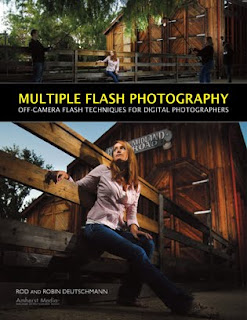
Today's post comes from the book Multiple Flash Photography: Off Camera Flash Techniques for Digital Photographers by Rod and Robin Deutschmann. It is available from Amazon.com and other fine retailers.

Adding light offers a multitude of options. While in the field, the photographer can manipulate his scene, creating an environment that is unique to the message he wants to convey. This type of control was once thought only to be found indoors—but for the multiple flash photographer, the world now becomes his studio.


Using three modified flashes on light stands, we produced enough light to illuminate our model, creating an environment filled with rich color and tones. The key is to set the base lighting in your camera first, then add flashes where additional light is needed. Here, we placed two large, diffused lights on either side of our model, with a third behind her for backlighting.


We can virtually create any environment we desire—including a darkened background to help isolate our model and make her stand out. Here, we placed a large softbox and an umbrella on either side of our model. The softened light looks natural and the additional softboxed flash behind our model’s head added a pop of backlighting to her hair.


You don’t necessarily have to wait for the sun to start setting to take advantage of “great lighting.” As multiple flash photographers, great lighting is only a camera bag away.


To achieve our setting sunlight environment, we used three flashes connected by a TriFlash shoe on one light stand and modified with an umbrella, creating a very large light source. Strategic placement of this light source gave us the setting-sun environment we were looking for. Once we added a fourth flash behind our model for backlighting, we were set to go.


The world does not have to look the way it does. Making your background appear darker than it is can add drama to your images.


Once our base light was achieved in-camera, creating the moody environment, we began adding lights to illuminate our model out of the darkness.


For this image, we used three unmodified flashes on light stands to create a dusky environment. A fourth flash was added as top lighting to highlight the model’s fur hood.


BUY THIS BOOK FROM AMAZON

Shooting Up, Down, and Across

Today's post comes from the book Christopher Grey's Lighting Techniques for Beauty and Glamour Photography by Christopher Grey. It is available from Amazon.com and other fine retailers.

Shooting down or shooting up are angles many of us don’t use. Why not? They’re dramatic or fun, depending on how they’re approached. They’re also difficult because you may have to angle yourself in an uncomfortable position to get what you want. Depending on her perspective to the camera, your model may have to do the same. Here are a few tips.

SHOOTING UP
The most important detail when shooting from any position is to carefully place the main light relative to your angle to the subject. In other words, if you light her so she looks great when you’re standing at full height, the setup will probably make her look awful when you drop to your knees and raise the camera. Set the light so it looks good from your shooting position, with the model in at least a basic pose, for better results. I can hear many of you questioning my sanity and asking why I would point out something so basic, but I’ve seen too many subjects lit badly when photographed from these angles that I felt I needed to address the issue.

Shooting up is more difficult than shooting down or across. The perspective problems you may encounter when the camera is so close to the model that the lower half of the image (the area closest to the lens) looks larger than the upper half might be difficult to deal with (image below).


Angling the model so that she leans slightly toward you and moving back a bit may be all you need to get an excellent image. In the first image, the light, a bare tubed strobe, was placed at a typical height for her position. When she looked down at the camera, however, it was completely in the wrong position, creating deep shadows that hid her eyes and the underside of her cheeks and chin. Not very attractive. See image below.


Angling the model toward the camera meant the main light needed to be lowered to get an attractive nose shadow. Consequently, the light stand holding the cookie (the flag with a quarter-moon pattern cut into it) had to be raised to get it to the same position.

The final image was augmented with an additional fill card at camera right. It filled in the shadows and added detail to her clothing. Net result? A beautiful image of a beautiful woman. See image below.


SHOOTING DOWN
Shooting down, at least from a perspective standpoint, is easier than shooting up. The same attention to the angle of light must be paid, though, or you may end up with lighting scenarios that are not flattering.

To create the next image, I used a 2x3-foot softbox for the main light (the only light necessary because the model was ringed with white cloth). It was set to the camera-left side of the set and angled it so it would produce an effect that would resemble butterfly lighting if the model had been upright to the camera. Two black flags, each 12x30 inches, were separately mounted to accessory arms on light stands, cutting the light to the top of the pillow and the right side of the model’s shirt and body. The gobos were set at slightly different angles and close to the light, to avoid sharp shadows and deeper underexposure. This added a bit of visual interest that a typical viewer just can’t put a finger on.


I removed the gobos and moved in a three-stair step stool to the side of the air mattress that kept my model comfortable. It’s difficult to position yourself directly over a model without building some sort of scaffold, something most of us (myself included) don’t have sitting around. The easiest way to simulate the effect is to get on a short ladder and lean over the subject.

Hold the camera in the landscape position (horizontally) and lean in as far as possible. You can rotate the image to the vertical position in postproduction. If the light is positioned correctly and you’re in the right place, you’ll be amazed how natural it looks, even though you might have been a foot or two off center. See image below.


SHOOTING ACROSS
When you’re shooting across a reclining model, you’re subject to the same “rules” that apply when you’re shooting up or down, with one exception. Certainly, the main light must be placed in a situation that will render attractive light. That’s a given (or it should be).

In any such situation, and regardless of the depth of field you may have dialed in, be sure to focus on the eye nearest the camera. Doing so will put the primary point of interest exactly where an eventual viewer expects it. This is especially true when using a telephoto lens wide open or with a large aperture. See image below.


BUY THIS BOOK FROM AMAZON
Today's post comes from the book The Digital Photographers Guide to Light Modifiers by Allison Earnest. It is available from Amazon.com and other fine retailers.

This series of images was created for Sarah Jarvela, an aspiring model. The concept of the shoot was to create three different personalities in a one-hour session. I chose to start with a strong headshot using a traditional four light setup (photo below). To obtain a pure white background, the model was positioned close to the white background so the lights illuminating the set would also illuminate the background. (Incidentally, the background lights were adjusted to record 11/2 stop brighter than the main light, ensuring a clean white background.) Two side kicker/accent lights, both fitted with directional grids, were placed just behind Sarah to create very hard, directional accents on the sides of her face. The main light was a medium softbox, placed high on a boom stand at a 45-degree angle to camera right, high and above the camera axis.

This headshot was created using hard-edge double kickers. SUBJECT: Sarah. CAMERA: Nikon
D300, 24–70mm f/2.8 lens, Lexar media. SETTINGS: AWB, manual mode, 1/100 second, f/20, ISO 200.

For the next photo, I simply powered down the two accent lights to the right and left of the model, moving them further from the middle of the background. Additionally, the model was moved farther from the background to ensure a crisp, neutral gray background. Remember the Inverse Square Law!

The accent lights were turned off to create a simple photograph of Sarah. SUBJECT: Sarah. CAMERA: Nikon D300, 24–70mm f/2.8 lens, Lexar media. SETTINGS: AWB, manual mode, 1/125 second, f/16, ISO 200.

The funky pink chair seen in photo below had sat in my prop room for quite some time just waiting for the right session. Sarah’s choice of pink clothing proved to be the perfect pairing. With the same main light (a medium softbox) attached to a boom stand, placed close to the model and pointed down, the light was very soft. Two softboxes, attached to monolights, were used as kickers—so the light accenting the model was also soft and diffused. The light on Sarah’s right leg came from a small strip softbox. Lastly, the background lights were turned on. The model was quite pleased with all the images she received and was surprised how different they all appeared in such a short session.

Changing to a 80–200 f/2.8 lens compressed this image nicely. A kicker was also added to the
right of the model for increased separation. SUBJECT: Sarah. CAMERA: Nikon D300, 80–200mm f/2.8 lens, Lexar media. SETTINGS: AWB, manual mode, 1/100 second, f/16, ISO 200.


DRAMATIC LIGHTING

Staying updated with the latest photography equipment, props, and techniques is essential to creating fresh images. On a recent trip to Photo Plus Expo in New York City, I fell in love with Drop it Modern backgrounds (www.dropitmodern.com). One of their unique, custom fabric backgrounds proved to be perfect for the next set of images, shot for my friend Michelle Lopez.

The background, made of heavy fabric with black velvet patterns, absorbed a tremendous amount of light. To illuminate it, a Speedotron focusable spotlight was used with custom cookies/gobos designed by Colorado CustomMetal (www.coloradocustommetal.com). The focusable spot, attached to its own 1200W power pack, produces intense, direct light that allows cookies to be placed between the modeling light and the lens for special effects.

The Speedotron focusable spotlight can be used with a custom cookie (here, flowers) to produce designs on backgrounds or for special effects


For the next photo, the main light was a single Hensel Integra monolight with a 22-inch silver beauty dish and white diffusion sock attached. Two kickers/accent lights with 7-inch parabolics and barndoors were placed to the left and right of the model to add further separation and depth. These were set to record at one stop more than the main light. As you can see in the set scene, the camera-right kicker was further diffused with a white scarf. The barn doors on the other kicker were closed to create a more directional light source.

Kickers to either side of the model added separation and depth. Notice that the lights were modified with barndoors to control the light illuminating the subject SUBJECT: Michelle Lopez. CAMERA: Nikon D300, Lexar media. SETTINGS: AWB, manual mode, 1/125 second, f/6.3, ISO 200.

The photo below was created by turning off the main light (the beauty dish) and the focusable spot. I also changed the model’s position and moved the monolight with the barndoors (to camera left) higher and closer to the model. This became my new main light. An incident-light reading was taken and the exposure adjusted accordingly. Just by moving a couple lights and changing the model’s pose, I produced a very different photograph in one session. Try to think outside of the box and you’ll be amazed how your style will change.

This is the same lighting setup as in the previous photo—except the light with the barndoors (to camera left) was positioned closer to the subject to become the main light. The Speedotron spotlight was turned off and the right kicker repositioned to the pose. SUBJECT: Michelle Lopez. CAMERA: Nikon D300, Lexar media. SETTINGS: AWB, manual mode, 1/125 second, f/8, ISO 200.


Studio Lighting for Children's Portraits

Today's post comes from the book The Art of Children's Portrait Photography by Tamara Lackey. It is available from Amazon.com and other fine retailers.

When you are shooting in the studio, you have an incredible amount of options from which to choose when creating “the perfect light” for your session. You are basically considering three or four main factors: the main light, the fill light, and a reflector (for extra fill). Often, you should consider adding a back light or hair light, as well.

The main light is aimed at the subject to create the basic pattern of light and shadow on their face. One of the simplest ways to manage your main light is to use a large softbox and position it at a distance from the subject. This allows you soft, even lighting and a great spread of lighting to help track the little one as he makes his way around the shooting space.

The fill light is used to open up shadows that may be created on your subject’s face by the main light (or any other ambient lighting). This can be an actual second light source (set to produce less light than the main) or a reflector placed on opposite side of the subject from the main light. When using a fill light source, a supplementary reflector can also be added for additional fill. This is often used to create a more flattering and evenly distributed lighting effect across your subject, or to pop up catchlights in the eyes.


The choice between an artificial lighting setup and natural lighting setup can make the same scene look very different. You decide. Do you want the look of man-made lighting for a crisp and clear shot—an image that really pops (left)? Or do you want natural lighting, for a warm, soft, and more gentle image (right)?


It’s a good idea to keep a reflector in easy reach or attached to a small boom for easy placement when needed. Foam-core art board can be used as a simple and inexpensive reflector. This can be purchased in a variety of sizes (or cut down to whatever size you like), making it a very flexible option. It can also be very handy to create a large foam-core modifier by taping two pieces of 4x8-foot board together at one edge. This produces a large V-shaped modifier (often called a bookend) that can stand up on its own, making it great for bouncing light evenly across your subject. It can also be used as a simple backdrop when your subject scampers into it.

The following are some simple portrait lighting configurations to consider for a shooting room that has one main window.

Setup A. This setup employs a main light (a large softbox), fill from a 4x8-foot bookend, a reflector, and a back light (see diagram). It offers you a clear, well exposed image with flattering, even light. You may accumulate some shadowing, but it is usually to pleasing effect. This is a great setup for children who move around a lot! (Note: For this setup, the window is blacked out, so it does not affect the lighting.)


Setup B. This setup incorporates window light softened with a scrim as the main light, fill from a 4x8-foot bookend, and a reflector. Optionally, a video light can also be added. The light produced by this setup may be a little softer and warmer than that achieved with setup A. Because you do not have to wait for the lights to recharge, it also makes it easier to shoot in a rapid-fire style, so you don’t miss that quick change in expression.


Setup C. In this setup, window light (with a scrim for softening) and a large softbox are combined as the main light for a controlled high-key look. Fill light comes from a 4x8-foot bookend placed to the side of the subject. Also used are a reflector and a back light. Altogether, this creates a very high-contrast, ultra-defining, minimally shadowed image that is bright and inviting. It does, however, limit you a bit in terms of how widely the subject can roam.


BUY THIS BOOK FROM AMAZON

Silver Reflectors in the Studio

Today's post comes from the books Christopher Grey's Advanced Lighting Techniques. It is available from Amazon.com and other fine retailers.

We’re all familiar with using white reflectors, usually bookends or panels, to bounce light into shadow areas and open them up. White reflectors are usually better than fill flash, as they won’t add shadows of their own or overpower the main light.

Gold reflectors are often used to warm up skin tones, especially when working outside. However, traditional gold reflection on digital images can sometimes look a little weird.

So, what about silver? When shooting outdoors, using a silver reflector can produce a look that’s a bit harsh, as the silver surface throws a “snappy” and more contrasty light than white (of course, the decision to use it is purely a matter of taste). In the studio, silver reflectors can act as either a main light or as fill and will impart a “certain something” to an image that’s visually intriguing but subtle and difficult to pin down.

Bear in mind when working with any reflector that the size of the reflection is directly related to the size of the reflector. Larger reflectors are more efficient and cover more area than smaller ones.

Aside from the background, the first image (below) was lit with only one light. I mounted a parabolic reflector fitted with a 30 degree grid behind my model (see below) and skimmed the edge of its light over the back of her head. Most of the light, including the center hot spot, was aimed at the silver reflector. It’s important to control the skimmed light, as too much of it will overexpose the back of the model’s head. The reflected light, which was metered to act as the main light, looks like a large and contrasty source but with minimal specularity, something that’s tough to achieve with a standard light/reflector combination.


It’s also important to angle both the source light and the reflector properly (below) in order to get shadow lines that complement the model and the image. My subject was standing for this shot (below), which meant the background had to be raised to get the proper nose shadow. I anchored the reflector frame to an Avenger accessory arm that spanned two light stands (sandbags are a must for this) and raised it to the proper height to get a perfect Rembrandt shadow on the model’s cheek. I also turned my source a bit more toward her, to brighten her hair. Notice how the large reflector highlighted her arm.


Should you turn the model away from the reflector and add another light to act as the main light, the silver reflector can add an attractive accent on the shadow side. For the next image, I moved the hair light so it hit only the reflector, not the model. I’d also moved the reflector more behind her, so the light on her was not as broadly directed as in the previous images. See diagram below.


I wanted an image with hot reflections both front and back. So to the next image, I first moved the main light to camera left, at the same angle as her face to the camera. Once that was set I moved the hair light back into play and let it spill generously over her hair and shoulder. I knew from the light meter that I would have areas of serious overexposure in the image, but in view of the drama such light can create, I was content to let it go. Overexposure in most forms of portraiture will not be tolerated, but in fashion or glamour photography it can be a terrific tool. I also moved the reflector closer to the model to strengthen the reflection. See diagram below.


My final example for this chapter exhibits a warmer, more subtle look, which was easily accomplished. By powering down the main light by 12/3 stops (but maintaining the same aperture as image 2), the skin tones, as well as the background (the density of which is influenced by any light that falls upon it), darken and exhibit deeper saturation.


Each of these examples was made more interesting by using a modifier in a slightly unusual manner. Personally, I think we need to look at each of our modifiers and what they do, finding ways to work with them that produce different and nontraditional results. Like most techniques that are borderline unorthodox, you may not use it often. Still, it’s a valuable trick to pull out of your hat when you need one.

For these images, I used a 39x72-inch silver/white Photoflex panel (www.photoflex.com). Similar gear may be investigated on sites maintained by Lastolite (www.lastolite.com), Westcott (www.fjwestcott.com), and others.

BUY THIS BOOK FROM AMAZON