Silver Reflectors in the Studio

Today's post comes from the books Christopher Grey's Advanced Lighting Techniques. It is available from Amazon.com and other fine retailers.

We’re all familiar with using white reflectors, usually bookends or panels, to bounce light into shadow areas and open them up. White reflectors are usually better than fill flash, as they won’t add shadows of their own or overpower the main light.

Gold reflectors are often used to warm up skin tones, especially when working outside. However, traditional gold reflection on digital images can sometimes look a little weird.

So, what about silver? When shooting outdoors, using a silver reflector can produce a look that’s a bit harsh, as the silver surface throws a “snappy” and more contrasty light than white (of course, the decision to use it is purely a matter of taste). In the studio, silver reflectors can act as either a main light or as fill and will impart a “certain something” to an image that’s visually intriguing but subtle and difficult to pin down.

Bear in mind when working with any reflector that the size of the reflection is directly related to the size of the reflector. Larger reflectors are more efficient and cover more area than smaller ones.

Aside from the background, the first image (below) was lit with only one light. I mounted a parabolic reflector fitted with a 30 degree grid behind my model (see below) and skimmed the edge of its light over the back of her head. Most of the light, including the center hot spot, was aimed at the silver reflector. It’s important to control the skimmed light, as too much of it will overexpose the back of the model’s head. The reflected light, which was metered to act as the main light, looks like a large and contrasty source but with minimal specularity, something that’s tough to achieve with a standard light/reflector combination.


It’s also important to angle both the source light and the reflector properly (below) in order to get shadow lines that complement the model and the image. My subject was standing for this shot (below), which meant the background had to be raised to get the proper nose shadow. I anchored the reflector frame to an Avenger accessory arm that spanned two light stands (sandbags are a must for this) and raised it to the proper height to get a perfect Rembrandt shadow on the model’s cheek. I also turned my source a bit more toward her, to brighten her hair. Notice how the large reflector highlighted her arm.


Should you turn the model away from the reflector and add another light to act as the main light, the silver reflector can add an attractive accent on the shadow side. For the next image, I moved the hair light so it hit only the reflector, not the model. I’d also moved the reflector more behind her, so the light on her was not as broadly directed as in the previous images. See diagram below.


I wanted an image with hot reflections both front and back. So to the next image, I first moved the main light to camera left, at the same angle as her face to the camera. Once that was set I moved the hair light back into play and let it spill generously over her hair and shoulder. I knew from the light meter that I would have areas of serious overexposure in the image, but in view of the drama such light can create, I was content to let it go. Overexposure in most forms of portraiture will not be tolerated, but in fashion or glamour photography it can be a terrific tool. I also moved the reflector closer to the model to strengthen the reflection. See diagram below.


My final example for this chapter exhibits a warmer, more subtle look, which was easily accomplished. By powering down the main light by 12/3 stops (but maintaining the same aperture as image 2), the skin tones, as well as the background (the density of which is influenced by any light that falls upon it), darken and exhibit deeper saturation.


Each of these examples was made more interesting by using a modifier in a slightly unusual manner. Personally, I think we need to look at each of our modifiers and what they do, finding ways to work with them that produce different and nontraditional results. Like most techniques that are borderline unorthodox, you may not use it often. Still, it’s a valuable trick to pull out of your hat when you need one.

For these images, I used a 39x72-inch silver/white Photoflex panel (www.photoflex.com). Similar gear may be investigated on sites maintained by Lastolite (www.lastolite.com), Westcott (www.fjwestcott.com), and others.

BUY THIS BOOK FROM AMAZON

Dappled Light

Today's post comes from the book Available Light: Photographic Techniques for Using Existing Light Sources by Don Marr. It is available from Amazon.com and other fine retailers.

Here we will challenge you to find the “buried treasures” of lighting. These are what I call Pockets of Light or Sun Spotlights. Normally we walk right by them, but I would like to invite you to slow down and find them. “Okay,” you say, “What the heck are they?” They are areas that seem to have their own special highlight on them, a spot where a little kiss of light seems to be telling a story. It’s a place that is lit with different light than anything around it, almost like a big stage light was put up in a tree to light the scene. This may sound like I want you take a trip to never-never land (Don’t go! The food is terrible.), but what I really want is for you to find these spots close by in your neighborhood. It could be the morning sun that comes in your window to light your spouse doing the Times crossword. It could be the lamppost on the corner that illuminates the pedestrians on the sidewalk at dusk. It could be the last bit of sunset light on the wall of your office.

One place to find a Pocket of Light is under some tree branches in an area of dappled light. Now, every bit of advice I’ve ever heard about making portraits has said to avoid this type of light. It leaves unappealing lines on peoples face and creates high-contrast edges. Shooting portraits in dappled light should be avoided at all costs. End of story, right? Well, all of that can be true—if you choose the wrong type of dappled light. If you choose the right kind, however, you can make beautiful portraits that are reminiscent of Hollywood portraits from the 1930s and 1940s.

When working with dappled light, you need to find areas with soft-edge shadows—and the best place to find soft-edge shadows is where there are trees. When shadows come from distant objects, such as tree leaves and branches that are perhaps twenty feet or more from the subject, the shadows created have a very soft edge. This is good. On the other hand, if the shadows come from leaves that are very close to the subject, then the shadow edge will be very hard and crisp. This is bad.

The key to working with dappled light is patience, on your part and your model’s. When you find some nice soft-edge shadows to work with, you will notice that the light acts like a spotlight; it will light only small areas. If the subject moves slightly, it can change the whole look of the shot. Where light may have been lighting their eyes a few seconds ago, it may now be lighting their ear. What happened? Chances are that your subject moved. Carefully coax them back to the original position (offers of money usually do the trick). This type of “spotlighting” can test the patience of your subject. Get them in a comfortable pose or position that they will be able to hold for a while, because you don’t want them to move out of the light. Reassure them by telling them that Cary Grant and Ingrid Bergman held their poses, too.

Morning and late afternoon are the best time to shoot with dappled light, mainly as it relates to the angle of the light hitting your subject.When the sun is lower in the sky, the light will come at your subject’s eyes more directly and produce a nice catchlight. If the sun is too high in the sky, your subject will have to turn their head skyward for the catchlights to be seen from the camera.

It’s possible to get different contrast effects in your shots with dappled light, depending on the where you are shooting. I have found that shooting in an urban environment works best for getting extra fill light into a portrait, because a lot of light bounces off pavement and buildings to fill in the shadow areas. If you want more drama, work with dappled light in the forest. The dark forest floor and surrounding trees do not bounce as much light as a city environment. Your natural sun spotlights will create a higher contrast between highlight and shadow in the forest, adding drama to your portraits.

Visual High Points
Here’s an important idea: an interesting portrait, or any photograph for that matter, has visual high points and other less important areas. Important parts of the subject are emphasized with light, while less important areas are kept shaded. Beginning photographers often make the mistake of lighting their subjects too evenly. That may work for shooting evidence and medical photos, but it makes for a boring portrait. Taking a cue from the classic Hollywood glamour portraits, where shadows and highlights created mystery, drama, and visual high points, you can look for where the sun creates its own Hollywood sets—right in your own neighborhood.

A Pocket of Light exists just left of the doors.

Do some research on the famous Hollywood glamour photographers. George Hurrell was a master at creating beautiful interplay between highlights and shadows. Also, the work of Laszlo Willinger, Ernest Bachrach, and C. S. Bull should inspire you to look for your own natural Hollywood lighting.

Here is a series to show you the possibilities that exist right in your neighborhood. In this scene (above), there is an area that is a Pocket of Light. Can you find it? It’s the area of sunlight just to the left of the doors. On sunny days, look for these little spotlights created by the sun. They make for excellent portrait opportunities, but they will require a bit of work from you and your subject.

Look for pockets of light that are about half the size of your subject. This will allow the light to create highlights in the areas that are getting direct sun but also allow the light to fall off into the darker, shaded areas. In this case (below), the subject was placed at the wall near the spotlight effect of the sun. The sun lit her left shoulder, but her face was just at the edge of the shadow.

When the sun creates spotlights like this, it also creates shadows of various shapes, forms, and angles. For example, shadows from objects closer to the subject will have crisp edges, while shadows from objects further away will have softer edges. Notice the two types of shadows in this shot. There is a crisp shadow next to the model’s left shoulder from the overhang of the doorway. The shadows from the flowers also cast crisp shadows. But the subtle shadows on the left side of the model’s face are from the top of a plant to camera right, which is about twelve feet above the model. These will come into play in the next shot.

Hard and soft shadows are formed by objects that are close or far away.

Reviewing the above image a bit more, notice how your eye keeps looking to the back wall, because it’s the brightest area in the shot. It’s a nice wall—but this is a portrait of her, not the wall. Changing the point of view to take advantage of the shadows (below) helps to take some of the attention away from the bright wall. Also, we can really start to see the potential of the soft light and shadows from this direction. Moving in close to the subject has helped, as well.

A different point of view takes the emphasis off the bright wall.

Additionally, setting the aperture at wide open, to create a shallow depth of field, helped to throw the background out of focus and keep the emphasis on the subject’s face. It’s not necessary to have a lot of depth of field when doing a portrait. A shallow depth of field keeps the emphasis on the person you are photographing while blurring any distractions in the background. In fact, you need just enough depth of field to get the face in focus—and sometimes it’s even enough to just have the eyes in focus. Further still, sometimes it’s enough just to have the eye that is closest to the camera in focus. If the forward eye is in focus, then your portrait is “in focus.”

The light is just a bit brighter on the subject’s forehead and eyes than on her chin and neck.

For the next shot (above), the model was directed to turn her head up to the light. This produced some nice catchlights in her eyes. (Because of the soft-edge shadows, the sun was not too bright for her to keep her eyes relaxed. Squinting eyes don’t make for good portraits!) Notice how the light is subtly brighter on her forehead and eyes than on her chin. This is the subtle shadow edge of the plant twelve feet above her. It can be difficult to work with these sun “spotlights” since they don’t stay static. They move as the sun moves. Your model will have to be patient, too, as you instruct her or him to angle their face to the best light-catching position.

Converting the image to black & white shows the soft spotlight effect more dramatically.

Lastly, the image was converted to black & white (above) as homage to the great George Hurrell. Keep your eyes open to find these sun spotlights or Pockets of Light. Whatever you want to call them, they’re out there.

In our next series of dappled light shots (below), morning sunlight spilled through tree branches and leaves. The morning sun, as it passed through the leaves, was not difficult for the model to look toward. (Squintfree light!) A pleasing soft spotlight was created on her face from the softedge shadows. The light fell off toward her hair and right shoulder, keeping the emphasis on her face. Since the tree branches and leaves were about fifty feet away, the shadows formed were very soft. If you aren’t sure where to find these soft-edge shadows in the area you are shooting in, just look at the ground or a wall. Chances are the sunlight will be making both soft and hard shadows from different branches and leaves at varying heights and it will show on these surfaces.

The subject was positioned so her face and necklace were lit.


Light through the branches and leaves of tall trees, located fifty feet from the subject, createdvery soft shadows.

Corrective Posing

Today's post comes from the book Corrective Lighting, Posing & Retouching for Digital Portrait Photographers, 3rd Edition by Jeff Smith. It is available from Amazon.com and other fine retailers.

Personally, I think posing is the most fascinating part of what we do. If you put a person in front of a window, you can move their arm or their leg—or do something as simple as turn their head—and completely change their appearance. With light as a constant, posing the various parts of the body can be the difference between a happy client and one who walks out of your studio without buying.

The pose can make even the most basic type of portrait come alive. Other than the expression, nothing will sell more than the pose. Posing can also do more to hide clients’ flaws than any other technique—and probably as much as all of the others combined. Posing alone can hide almost every flaw that the human body can have. For every person, in every outfit, there is a pose that can make them look great. You just have to find it.

THE PURPOSE OF THE PORTRAIT
Your first consideration in posing is the purpose of the portrait, not just making the client look good. Too often, a photographer creates beautiful images that the client never buys—and the photographer never understands why. Usually, it is because the portrait that was created didn’t match the client’s purpose for having the portrait taken.

A pose like this makes for a striking image—but if this were my daughter, I might get a little creeped-out looking at it (and receive some strange looks if colleagues saw the portrait on my desk).

I have children, and when I see a photo of them I want to see them the way I see them everyday—relaxed and looking like they are enjoying life. I also have a wife. When I see her, I want to see the beautiful woman that God has given me to share my life. I am a business owner and author, and when I see photos of myself in this light, I want see a traditional portrait taken to fit a specific purpose. If you mix up any of these portraits and give them to the wrong person it doesn’t work. I don’t think my children want an alluring picture of their mother any more than they want a photo of me looking like a sober judge.


In the same vein, many senior portrait photographers struggle with the fact that educators and books present very sexy, fashion-oriented portraits of seniors. Photographers love these, but they don’t sell well to the client—because most people want senior portraits to send out to family and close adult friends. Parents don’t want to send out a portrait in which their teen daughter looks “sexy.” However you can incorporate a fashion edge in less alluring portraits that will actually sell.

This is the difference between thinking like a photographer and businessperson: a businessperson knows that pretty pictures don’t pay the bills, pictures that fulfill the purposes of the client do. Here is an interesting fact: You can take a somewhat crappy portrait that has so-so lighting and isn’t posed or composed very well, but if it fulfills the purpose of the client, in all likelihood they will buy that somewhat crappy picture.

To be salable, portraits must sometimes please two different people. In the case of senior portraits, this means pleasing the senior and their parent.

Conversely, if your portrait doesn’t fulfill the purpose your client had in mind, even if it is an award-winner, they will walk out without buying the portrait that helped put a ribbon around your neck. While I don’t advocate taking so-so portraits, I think photographers could live a whole lot better if they would just think of each client’s wishes when they create portraits—and make creative decisions based on the client’s wants and not their own.

CHOOSE THE RIGHT STYLE
Once you know the reason the portrait is being taken and to whom it will be given, you can design a portrait to fit that need. This is the first step in designing a portrait. The clothing, pose, lighting, expression, and set/location/background should all be selected to produce that style of portrait, for that buyer.

Keep in mind, however, that in some cases you may need to balance the demands and tastes of multiple people. In senior portrait photography, for example, we have two buyers. This means that two different styles of portraits are required. The senior is the first buyer, and she will want to look cool for her friends. The second buyer is the parent, who will want a portrait that makes her little girl look like the young lady she sees when she looks at her daughter. If you don’t consider both buyers, and the end use of each set of portraits, you will lose half your business—or never get the senior through the door in the first place.

Once you understand the purpose of the portrait, you need to select a posing style that will be appropriate for the final portrait. Basically there are three posing styles to work with: traditional posing, casual (or “slice of life”) posing, and glamorous posing.Within a single person’s session you may use a variety of posing styles. This is a business decision you must make. But to learn posing you need to be able to distinguish between the various types of posing and know what type of situation each is suited for.

Traditional Posing. Traditional posing is used for business and yearbook portraits, as well as for photographing people of power or distinction. This style of posing reflects power, and to some degree wealth, respect, and a classic elegance. Whether these portraits are taken in a head-and shoulders or full-length style, the posing is largely linear, with only slight changes in the angles of the body. Whether sitting or standing, the spine of the body stays fairly straight and the shoulders stay fairly square. The back is straight and the chest is up (unless photographing a woman with a large bust).


Casual Posing. Casual poses show the person you are photographing as they really are. Watching people as they relax, read a book, watch TV, or have a picnic at a park will give you some of the best posing ideas you can find. Notice the way people lay, lean or rest their bodies, legs, arms, and even faces. See how people use one part of the body to support another. They will bring up their knees to support their arms and bring up their hands to support their heads. Casual poses are used when the portrait is to be given to a loved one, like a sibling or parent.


Glamorous Posing. Glamorous poses make the person look alluring—the way they wish they looked all the time. Ideas for these poses can be found in sources from fashion magazines to lingerie catalogs. If you want to add to your glamour posing style, look at a Victoria’s Secret catalog. Your clients may have more clothing on, but the structure of the posing will be the same.


The purpose of defining each type of pose, as well as determining the reason the portrait is being taken, is to have a direction for the session. This is the point at which a photographer’s own style and experience take over. For example, many of my traditional poses are much more glamorous in their look than what the average photographer would consider traditional. This is because, as human beings, I think we all want to appear attractive.

If you don’t have a great deal of time to spend with your client before a session, ask them to tear out images from magazines or catalogs that show what they have in mind for their portraits. This is a great way to get new posing ideas that are handpicked by your target market. (I keep all these tear sheets for my next test session.)

BASIC PRINCIPLES
Less is More. The less you show of a person, the fewer flaws you have to correct. I can create a beautiful and salable portrait of a woman who is a hundred pounds overweight, provided I compose it as a waist-up image. With the right clothing, the correct lighting, and a cool pose to help hide the signs of weight gain, it will be beautiful. If this client wanted me to create a full-length image of her, however, it would be much harder. It could be done, but beyond a certain weight, it is extremely difficult to provide the client with full-length images her ego will accept.

The idea of “less is more” isn’t just for minimizing the flaws that the average paying client has. Some of the most requested poses for all clients, at least as of this writing, are the extreme close-ups. In fact, head-and-shoulders poses make up 75 percent of the portraits that people actually purchase. While photographers have always thought that full-length poses should be included in a session for variety, there are clearly times when they shouldn’t be—and from a business standpoint, spending time on portraits that are less likely to sell doesn’t make sense.

Stand, Don’t Sit. When weight is a concern, which it will be for about 75 percent of your clients, standing is often better than sitting.When someone sits, the legs push up the stomach, the stomach pushes up the chest, the chest hides the neck, and before you know it you have a lady with her head sitting on top of two large breasts. When you stand that same person, gravity works in your favor and pulls the weight downward, away from the face.

Camera Angle. When photographing larger people, elevate your camera angle so you are shooting down toward your client. With the client posed normally, simply raising their face up toward the elevated camera stretches and smooths the skin of the neck and face. This is very effective—and it’s all the rage right now even for subjects with average builds.

This technique works on portraits from head-and shoulders to full-length. With the camera in an elevated position (yes, you will need to stand on a ladder), the body can be included in the shot—but its size will be minimized because it is partially obscured by the face and shoulders.

Tighter shots make up 75 percent of what people actually buy—and, for most subjects, they are the most flattering type of images.

Avoid Mushrooming. When the subject’s body touches or rests on a surface, it should only rest on bone. If you have a client sit down, the butt and thighs are going to mushroom out, adding weight and inches to them in their portraits. If, on the other hand, you have the client roll to the side and shift their weight onto one hip (where there is a bone) the hips will look thinner and the bottom will be hidden from view.

The same is true for resting an arm on a column or tree branch. The average client will rest their forearm on the surface, making it mushroom out and appear larger. Instead, have them shift their weight to the elbow and slightly raise their forearm off the posing surface.

If a pose has a client sitting squarely on their bottom, lift their knees up. Bringing one foot or both closer to the camera keeps the pressure points on the two hip bones, lifting the thighs so they do not mushroom out.

Turn the Body Away from the Main Light. No matter what style of posing you are using, start with the body facing away from the main light. This is the thinnest view of the body and creates shadowing in which we can hide flaws. Then, turn the face back toward the main light to properly light it and stretch out the loose skin that most clients have under the chin.

Portrait Photography: Behind the Scenes

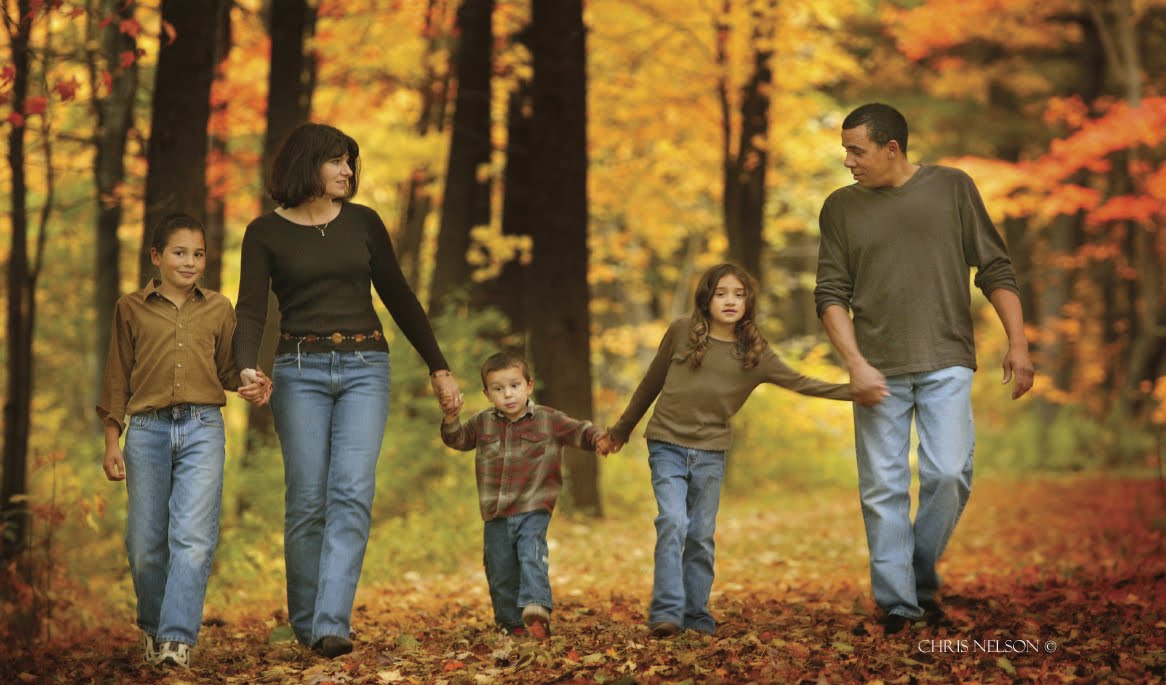
Today's post comes from the book Professional Portrait Photography: Techniques and Images from Master Photographers by Lou Jacobs Jr. This book is available from Amazon.com and other fine retailers. In the book, Jacobs profiles 10 leading portrait photographers about their craft and their business. Here is an excerpt from his profile of photographer Chris Nelson.

A former photojournalist and reporter, Chris used to supplement his income shooting weddings, advertising images, and senior portraits. In high school in the 1970s, he and his friends built a darkroom and shot for the school paper, yearbook, and sporting events. In 1991, he started a portraiture business now called Fall Creek Portrait Design in Fall Creek, WI. Since portraiture became his lifelong interest, Chris has earned Accolades of Photographic Mastery and Outstanding Photographic Achievement from WPPI, and is proud of winning WPPI’s senior portrait category in 2002 and 2004.

Describe your background.
I studied at University of Wisconsin–Milwaukee and graduated with a BA in English with photojournalism and fine art photography as part of my studies. While still in college, I did photography and graphic design for the college magazine, and after graduation, I worked at several newspapers as a reporter and photographer. Since my background was not portraiture, I wanted to learn all I could about this new area, and joining WPPI and PPA were great avenues.

Who are your influences and mentors?
When I caught Monte Zucker’s 1999 tour, and that of portrait artist Al Gilbert, I was blown away by their use of barebulb flash, as opposed to using softboxes, umbrellas, and reflectors. Those photographers had fluid posing styles that made subjects look really natural. I analyzed what they were doing and adopted some of their techniques so my work would look different from most other photographers’ portraits.

Don Blair and Michele Gauger influenced the foundations of my photographic style. Robert Lino and the late Dean Collins influenced my glamour style. While glamour photography comprises only about 20 percent of my studio’s business, that style influences much of my work. All my high school senior girls want to look like models, and seniors are 60 percent of my business.
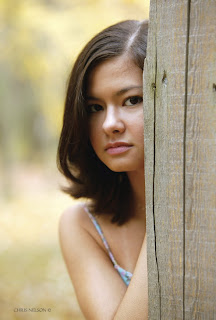


Describe your studio.
I worked out of my home studio during a three-year transition from photojournalism to portraiture. I continued to take assignments with the local newspaper and shot for Chippewa Valley Technical College, creating images of students for the school’s cutting-edge programs.

In 1994, I moved into my current building, an 1880s bank on the main street of Fall Creek, WI (population 1,250). After renting half the building, I bought the property in 1998 and began restoration. In 2004, I added a large window-lighted camera room, a new production room, and a second dressing room. The studio is now about 3,000 square feet. Though I have two camera rooms, I still do a lot of location work because my clients and I love the variety. Many photographers in the vicinity don’t leave their studios.

I have three employees, my daughter Erin, my son Tim, and Ashley who does a little of everything, except shooting. She specializes in Photoshop, retouching, and finishing images, does client consultations, and a good share of the sales work.
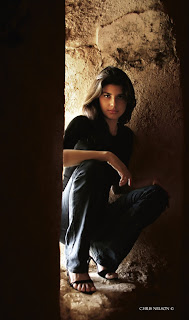


Erin is like Ashley’s understudy, with much the same aptitude for graphics software applications. She has a great eye for design and is in training for high school senior album layout. Tim is a high school junior who enjoys being second camera at weddings, doing mostly candids. We expect when he’s in college he can shoot weddings on his own.

How do you approach your sessions?
The root of portraiture is the word portray. Photographers seek to visually portray their clients in artistic images that describe aspects of their lives or personalities. Before sessions I normally do a consultation where we get to know each other and exchange ideas; that helps keep us on track. How I approach getting what they want evolves through my style, coming from my consciousness and vision. If a casual observer can identify with and understand the meanings conveyed by an image, it’s a good, if not a fine, portrait.

How do you approach posing?
I have favorite poses, but they have to fit the subject. A pose might look great for one person and awkward for another, so you have to analyze your subject. My job is to accentuate the good features and downplay or hide what we don’t want to show through lighting. I try to make a positive aspect of the subject’s appearance so dramatic and compelling that viewers don’t notice a negative. For example, I created a glamour portrait of a woman who had recently had a baby and hadn’t lost all of her belly. She said her husband loved her butt, so I posed her with it at about a 30-degree angle to the camera and had her twist at the waist and look over her shoulder. This hid her tummy, and we chose a high key background with a hint of pink, which blended with her outfit.

In the last few years, I’ve adopted a new posing style by letting people pose themselves. I have clients talk about themselves and I watch their body language. When they do something that looks good, I tell them and then light that pose so it looks natural. This saves the effort of trying to fit someone into a pose. For example, I told a senior girl to pose on a stool in front of a formal
background. Instead, she knelt on it, sitting on her hocks, a pose I’ve never seen before. I said she looked great. I turned the stool about 45 degrees away from the main light, and she turned to look at me. The picture was uniquely her.

What strategies do you employ to communicate with your subjects and elicit the desired expressions?
I often describe the photo session as a stage performance where the part clients play is to talk about themselves. I reassure them, especially shy clients, that it’s my job to make them look good. “What’s the most important thing about a picture?” I’ll ask, and I get all kinds of answers. I’ll say, “The real answer is that you look great. The better I understand what you want, the better I can do this.”
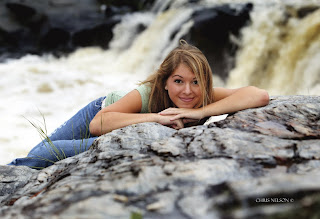


In my orientation about posing, especially for women, I mention the ability to move body parts separately, face toward the light, and tip their head over their left shoulder. I’ll tell them, “Don’t move your upper body, but turn your hips away from me to the right.” I also tell people I don’t want them to smile all the time, that we need to capture a range of moods and expressions. I’ll suggest, “Point your chin toward me a little,” often getting a slightly bewildered look. Their cooperation shows they know I care what their images look like.

Shooting sequences is critical. If you get a good pose, quickly get different angles that really add variety to a sitting. Ask clients not to abandon a pose as soon as they hear the shutter click.

What type of backgrounds work best for you?
When we expanded the building we left the exterior brick exposed. I add props such as an old antique radio and phonograph, or antique furniture. I prefer props you find by chance to those from photographic catalogs, though I do have some of those. I also own painted backdrops, both muslins and canvases.

When a contractor remodeled a house near my studio I was given great old columns, a couple of which now frame the Plexiglas block window I built. I covered the cracked paint of the columns with a light coat of turquoise paint that harmonizes with the earth tones. The columns are used as the center of a set with the Plexiglas window backlit using a tungsten lamp.

Do you conduct any location sessions?
At least 60 percent of my sessions include an outdoor segment, which pleases seniors, couples, and families. We use one of our terrific locations like the rusty riveted steel and geometric trusses of an old railroad bridge. I work in natural light at a dozen or so spots near my studio, and I often augment with a strobe. The sun is a main light, the ambient light level is another, and my strobe or reflector is a third.

Where the sun is intense and there’s no shade or reflected light, I’ll use the sun as backlight with a portable strobe as a main light. If the ambient light level is f/5.6 at 1/250, I’ll set the strobe at f/5.6, which gives me an f/8 highlight or a 2:1 ratio. An f/11 separation light (the sun) gives the subject’s hair a beautiful highlight.
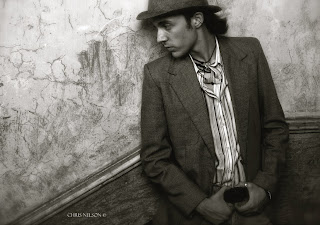


The junkyard is another favorite spot for seniors. I found it doing a senior session for the owner’s son, and I immediately made arrangements to shoot there often. I also use a rustic barn with peeling paint, a hayloft, and antique implements. Horses, goats, geese, turkeys, and ducks add to the atmosphere.

How do you promote your studio?
One main advertising site is a mall kiosk where we have a 10x18-foot display at a key spot; it’s expensive but worth it. We rotate images often, and clients who appear in the display are flattered. Once a year, we sell the prints at 55 to 70 percent off list. Equally important is our web site, which keeps growing and is really quite a bargain. Do your best to keep your web site fresh. The more places you can reinforce your message, the better.

You are in a position where your photography can promote a lot of other businesses (or nonprofits) and end up photographing in the process of doing your job. This type of networking is huge and often doesn’t cost much. I make images available to hotels, limo companies, bars, hair salons, radio stations, and hospitals for nothing more than a photo credit. It’s surprising how much word of mouth you get as a result.

We also do as many as twenty different mailers a year, many of them smaller like our re-order and customer appreciation sale, plus the four we do yearly to our senior prospects. Always refer prospective clients to your web site, where you can put more detailed information. I also do radio advertising and trades for promotional events as well as giving sessions away to nonprofits and community organizations.

How important is a photographer’s personality to his or her success?
Your personality and your ability to communicate with and understand your clients is critical. They will love you for making the effort. In addition, you need to decide what kind of image you want people to have of your studio. They need to understand what kind of photography you do. Image and branding is important, and you have to make the decisions noted above. Once you decide on the message, don’t ever water it down.

BUY THIS BOOK FROM AMAZON

Flash Facts

Today's post comes from the book Photographic Lighting Equipment : A Comprehensive Guide for Digital Photographers by Kirk Tuck. It is available from Amazon.com and other fine retailers.

There are a few basic things you need to know about flash that will make your life easier. Let’s go through them.

Synchronization Speed. Since a flash exposure happens in a really short amount of time, your camera can only properly use the light from the flash if the entire sensor (or film) plane is completely uncovered by the shutter curtain or blades and the mirror is completely up at the moment of the flash. All of this has to be synchronized mechanically. On most digital SLRs, there is a top speed limit for all conventional flashes, which is often 1/250 second (on bigger formats and on cheaper digital SLRs it is usually a bit slower, maybe 1/125 second). Once you use a faster shutter speed than your maximum sync speed, the shutter in your camera becomes more like a slit that travels across the sensor plane rather than a version of fully opened theater curtains. If you try to use a flash at a faster shutter speed than your max sync speed, only part of your frame will be exposed. This is good news if you are trying your hand at experimental photo art. It is bad news if you have a paying client in tow.


A shot for Texas Gas Service. We were doing several locations around town and I wanted the speed that comes from bringing your own power. I used a battery-powered pack and head system from Profoto called the Acute 600B. We put the pack on the floor, set it to ¼ power, and put a head with a standard reflector on a stand, and bounced the light off the ceiling. A Nikon SB-800 was aimed into a 40-inch white umbrella for fill. It was set up nearly on axis with my Nikon D700 camera. Diagram—(1) Window. (2) Kid with teddy bear. (3) Dryer. (4) Washer. (5) Storage. (6) SB-800 flash, at 1/2 power, fired into 40-inch white umbrella. (7) Nikon D700 with 28–105mm lens. (8) Profoto 600B with standard reflector at 1/4 power, bounced from ceiling.

Synchronization. This may seem obvious, but somehow your camera has to get the message to whatever flash you use that the shutter is open and now is the crucial time to fire. The simplest way to do this is via direct, physical contact. In the case of a hot-shoe mounted flash, the camera sends a triggering signal or voltage to electrical contacts in the foot of the flash that screams, “now! now!” The flash goes off immediately, and everything is great. Another option is a sync cord. The flash and camera are connected with a two-wire cable. The camera sends a signal through the wire, and the flash triggers. As long as the contact points are physically sound, everything works great. It gets a bit more complicated if you want to fire the flash without wires.

The low-tech method of wireless flash sync is the optical photo slave. A small “slave” unit is attached to a remote flash. This unit uses a kind of transistor that sends out a voltage spike or signal to the flash when it “sees” a quick increase in light. It is generally triggered by either a flash attached to the camera or an infrared signaling unit (or transmitter) which sends out an infrared light when the shutter is fired. Optical slaves are fairly inexpensive and work well indoors. They are much less effective in areas with high light levels and are especially bad when used in bright sunlight.

A variation on the white light optical slaves are the “pulsed” infrared slaves. These are more sophisticated than the optical slave because they can be triggered without additional white light contaminating the scene and, since they can be pulsed, the receivers can be set up on channels to reduce misfires caused by other people’s flashes being used in the vicinity.

A lot of photographers are scared to shoot in the sun—especially in the not so pretty hours of 10:00AM to 4:00PM. Who can blame them? The light is raw and contrasty and most shoe mount flashes don’t have the oomph it takes to push enough power through an umbrella and then compete with direct sun. But if you bring along a Profoto 600b, a Profoto 7b, a Hensel Porty, or an Elinchrome Ranger, you’ll have the power and the autonomy you need.


Just plug in your flash head, set the power levels, and find a camera with a fast sync speed. I photographed this image and the one just above with a Canon G10 compact camera. If you need sync speed, this is a great camera. You can sync nondedicated flashes up to 1/2000 second. It’s a good way to control how light or dark the background will be rendered.

Moving up the evolutionary ladder, we come to the newly ubiquitous radio slave receivers and transmitters. These are exactly what they sound like. A transmitter on the camera or attached to the camera’s sync terminal senses the triggering voltage and sends a radio signal to a receiving unit attached to the flash. The receiver triggers the flash. The Pocket Wizard radio trigger has dominated the market for the better part of a decade but is now being assailed on all sides by much less expensive versions made in China and elsewhere. With radio triggering, more dollars spent means greater distance ranges and more reliable operation.

The current hot technology is the Nikon CLS and the Canon ETTL system. In both systems, the camera uses either a built-in flash or a hot-shoe-mounted controller to send pulses of visible light or infrared light to control the output of individual flashes. It makes off-camera flash quite simple, especially if you are willing to work with TTL automation. Generally, you’ll need to be using relatively current digital cameras and current flashes to gain this level of automation. In both systems you need to make use of the hot shoe on the camera as part of the control circuit for the lighting system. The camera meters the flash exposure through the lens, and when it senses the correct exposure it sends a signal via the hot shoe contacts through a digitally coding transmitter (either a system “master” flash or a dedicated system controller) which tells the flash to halt its output.

Whether to choose radio triggers like the Pocket Wizards or dedicated flash systems will depend largely on how you need to light and how big an area you need to cover. While the camera systems tend to be “line of sight” solutions (generally, they work best in small, bright rooms), the radio slaves have a much larger range and are much more reliable in areas with high light levels as well as outdoors.Most professionals use both systems on fully manual exposure settings, changing the relative output of the lights by setting different power ratios. There are trade-offs in both systems. The dedicated camera systems require the use of more expensive flash units and are not usable with other brands of flash units. The radio trigger solution allows you to use less expensive non-dedicated flash units, but the cost of the radio triggers and receivers themselves is higher.

The bottom line is getting reliable triggering every time, and that’s where radio units such as the Pocket Wizards have the edge for professionals.

Flash Duration. As mentioned above, most flashes don’t have instantaneous flash durations. They range from a duration of 1/125 second for bigger, older generation power pack systems to around 1/10,000 second for battery-powered units used at very low power settings. Here’s the relationship: the more power that needs to go through a single flash tube, the longer the burn time of the flash will be if all other things are equal. They are rarely equal.

This is a very inexpensive optical slave (think $30) that works very well indoors. It sees flash from a main flash or trigger flash and triggers whatever flash it is attached to. It has both astandard PC socket and a hot shoe so it can be used with a wide range of flash units.

What does this mean in real life? If you are a still life shooter, not much. If you shoot portraits, not much. In fact, where fast duration flash comes into its own is with sports, dance, action, and with products that need to be captured exploding (champagne bottles), being poured (beer, wine, water, Coca Cola), etc. Some portrait photographers actually prefer longer duration flashes because the potential for tiny subject movements makes the fine detail look a little smoother.

Radio slaves have a number of benefits: they “see” around corners, trigger reliably, and do away with the need for sync cords. Here’s one Velcroed to the side of my flash unit. I often use small flashes as accent lights in the studio.

Here’s how you shorten the duration: turn the power down. The lower the power, the shorter the duration. If you are using a pack and head system, plug in more heads. The more flash tubes the power is distributed to, the shorter the total duration. Be aware though that when you change the duration of the flash you will have changes in the color temperature of the light itself. Flashes tend to be at their lowest and most accurate color temperature when used at full power, becoming progressively bluer as the duration shrinks.

Hint: Many small pops add up to one big exposure. If you select your flashes correctly, you’ll probably have enough power for just about anything you might come across, but every once in a while you’ll find a still life project that calls for sharp focus from front to back of a subject that’s close to the camera, and that means you may have to really stop down. And in still life, most people use the lowest ISO they can find on their cameras to ensure the lowest noise and best color. So what do you do when you have your softbox covering your flash, the light is perfect in terms of direction and quality, but you do the math and figure out that you need two more stops of power in order to correctly expose the scene at the f-number you need to set? Well, you could rush out and buy a power pack that is four times as powerful as the one you are using or you could save money and do some math. If you add two pops to your first pop, you will get one more stop. If you then add four more pops to the last two, you will build up a cumulative exposure that will get you to that extra stop. It’s a simple logarithmic progression and a neat trick for doing more with less gear. It works with any size or type of flash, but you’ll need to subdue the existing light so that it doesn’t become part of the overall exposure. That means blacking out the windows and turning out all the lights including modeling lights. Obviously, this won’t work when you are shooting outside or in an environment where lighting can’t be controlled, but it’s a great quick fix for what seems to be a routine issue encountered by car and still life shooters.

A word to the wise: just because you have a very short duration flash doesn’t mean you’ll freeze motion in locations that have high ambient light levels. Most cameras can only sync to 1/250 second, and most smaller flashes can only deliver so much motion stopping power. If you are shooting in an environment like a sunlit exterior and you are trying to freeze motion your limiting factor will be the relatively slow shutter speed. At 1/250 second you won’t quite be able to freeze a runner moving parallel to your position or the swing of a hand in a golf swing. Be sure to consider these factors before you shell out a lot of extra money for a fast flash duration. Along the same lines, most of the stop action you see successfully done of leaping dancers, etc., is done in a dim studio or dimly lit location so that the ambient light isn’t a big factor.

Color Temperature. All manufacturers specify a color temperature, but the honest ones specify a range. That’s because, with few exceptions, the flash output tends to get bluer as the power gets lowered. Additionally, units without very precise voltage regulation tend to have variable color consistency from shot to shot. Even if you are buying the best units around, all of your efforts at getting great color could be jeopardized by the coating of the flash tube. If the glass tubes are uncoated, they allow a lot of ultraviolet (UV) light to be emitted. If whiteners or certain bleaches are used in fabrics (especially man-made fabrics) or in the fabrication of products, the high levels of UV will cause a fluorescence that turns colors either more blue or more magenta than they should be. These color anomalies can be very hard to correct for after the fact.

The solution is to buy flashes with UV coated tubes to inhibit the transmission of UV light waves.

Photography is never as simple as you might think. There are always details that can derail the best of plans. That’s why it is recommended that you test new flashes thoroughly before using them on important projects. There isn’t an option to buy UV-coated flash tubes for battery-operated units or most inexpensive monolights and power pack systems, but you can buy sheets of UV filtration and cut them to size if you find yourself with unexpected color shifts.

Whether you use electronic flash or continuous lighting, your most important decisions aren’t which gear to use but how to get the lighting effect you have in mind.

There’s another color “gotcha” to be aware of: We use a number of light modifiers in our quest to soften and manipulate the small light sources of our flashes and make them work for our vision, but you need to know that the quality of the fabrics used on umbrellas, softboxes, bounce reflectors, and scrims can be highly variable. The bleaching agents used to make the front of your softbox really white may make your images really blue or impossible to correct in Photoshop. You’ve probably realized that white fabrics also tend to yellow over time and make light sources “warmer” (lower color temperatures). This isn’t a real issue in the digital age until you need all the lights on a set to have the same color temperature. It can be maddening to use
several different brands of umbrellas to light a background while using yet another brand of softbox, only to find that different zones of your important image have big color shifts that defy the remedy of a “global” color balance correction. And this can be a major problem, which might cause you to lose a picky commercial client or spend a fortune in retouching fees.

I never seem to realize just how important reflectors are until I get into the middle of a studio shoot and start to fine tune. For this shoot, there was a white card on the posing table bouncing light up under my model’s chin, but it wasn’t enough, so I added a round reflector over to the right. The black panel to the left has white on the other side and works as a reflector. On the far side is a piece of foam core, which adds some side fill. A black panel in the back toward the center of the frame cut spill light from the hair light.

The answer is to test all of your accessories and understand what might cause a shift and how to correct it. Most umbrellas are so cheap relative to day rates, model fees, etc., that it makes sense to change them out en masse every couple of years and to replace them with units that come from the same manufacturer, and if possible, the same manufacturing batch.

BUY THIS BOOK FROM AMAZON

Capturing Motion with Off-Camera Flash

Today's post comes from the book Off-Camera Flash : Creative Techniques for Digital Photographers by Rod and Robin Deutschmann. It is available from Amazon.com and other fine retailers.

Capturing motion with your off-camera flash opens a world that is seldom seen. Being creative means pushing your vision and your equipment further than ever before.

VARIATIONS ON A THEME
As an artist with an off-camera flash, you have more options than most when it comes to dealing with movement. A quick splash of light from any angle or height will freeze things when nothing else will. It will also clear up a poorly executed pan or fill in the shadows on quickly moving subjects. You can, as always, highlight any tier of graphic information. Plus, if you use a fast enough shutter speed, you can darken even the brightest sky, ensuring that you can keep your true intent illuminated above everything else.

STARTING WITH ONE FLASH
As always, if you’re new to all this, begin with one flash connected to your camera via a wire and try to freeze some action. It doesn’t matter what—just freeze something. Even at slower shutter speeds, the flash will help freeze movement. Keep adjusting the power output on the flash. Change the aperture in the camera. Move closer and further away. Review your images. Notice
how even the slightest changes can weaken or strengthen the flash. Now, modify the light. Use a softbox to enlarge it or a snoot to direct it. Get to know the magic that one flash offers before you move onto more.

ADDING MORE LIGHT
When your skill allows it, move onto two flashes and trigger them wirelessly. Once you’ve mastered this, move onto three flashes—and then even more. Be creative with your lighting setups, triggering methods, and modification rituals. Don’t keep doing the same thing each time you shoot. Explore the possibilities of motion frozen with flash while paying attention to how things change in the rest of the image. You will use all of this experience later.


Two unmodified flashes gave this image the needed boost of light it deserved. The flashes were set off with the help of two optical slave devices called “peanuts.” These extremely small optical receivers are connected to a PC wire that runs directly to each flash. When these “peanuts” sense a bright contrast, they set off the flash unit they are connected to. In this case, the camera’s pop-up flash provided the needed contrast. When the pop-up flash fired, so did the other flashes. The pop-up flash did not illuminate any portion of the scene; it was only used as a triggering device for the much more powerful off-camera flashes


You have three choices when dealing with motion and using an off-camera flash: freeze it, let it blur, or do both at the same time. Here, one hand-held flash brings our message into the light (above).


It’s amazing what your images can look like when you employ as many lights as you possibly can. Remember: the more power you have, the more options you gain.


Seven unmodified lights set to full power were employed to freeze the twirling model. Four were used behind an umbrella, two were set on light-stands, and one was hand held by an assistant (and sometimes the photographer). High contrast and saturation settings were used along with a bluer-than-normal white balance.


One off-camera, unmodified flash can still be quite effective in freezing detail. The shallow depth of field seen here was accomplished with a very fast 85mm lens (f/1.4). The longer focal length also allowed the photographer to move backward, dramatically changing the offered perspective.


Two unmodified lights perfectly illuminated the right and front side of our model. A verywide-angle lens (18mm) was used.


Four unmodified flashes set to full power were needed to light each corner of our model during this rather dramatic jump over the San Diego skyline. A very light red filter was added to each flash to complement the redder-than-usual white balance setting. In-camera contrast, saturation, and hue choices were adjusted to taste. A smaller aperture (f/11) and shorter focal length lens (18mm) were used to help with the required depth of field.


Now, increase the power of your flashes by combining them. Create as much light as possible and see what happens. Overpower the sun itself if you can. Know what gear it takes to have complete control over every aspect of the scene. And don’t limit your vision when it comes to subjects, either; there are more things to shoot than just people, so try it on moving animals, as well. Understand the maximum amount of light you can produce with all your gear, then figure out how you can use it with all moving subjects—at any time of the day or night.